Prove your focus.
Not just your hours.
FocusLens tracks what you actually worked on, scores it against your own goals, and generates a report you can hand to a client — no screenshots, no spying, nothing to fake.
v0.1.7 · 7.5 MB · Apple Silicon · FocusLens.0.1.7.dmg
The problem
Timesheets are guesses. Screenshots are surveillance.
Neither one explains why the work counted.
Features
Understand your workday, not just your clock
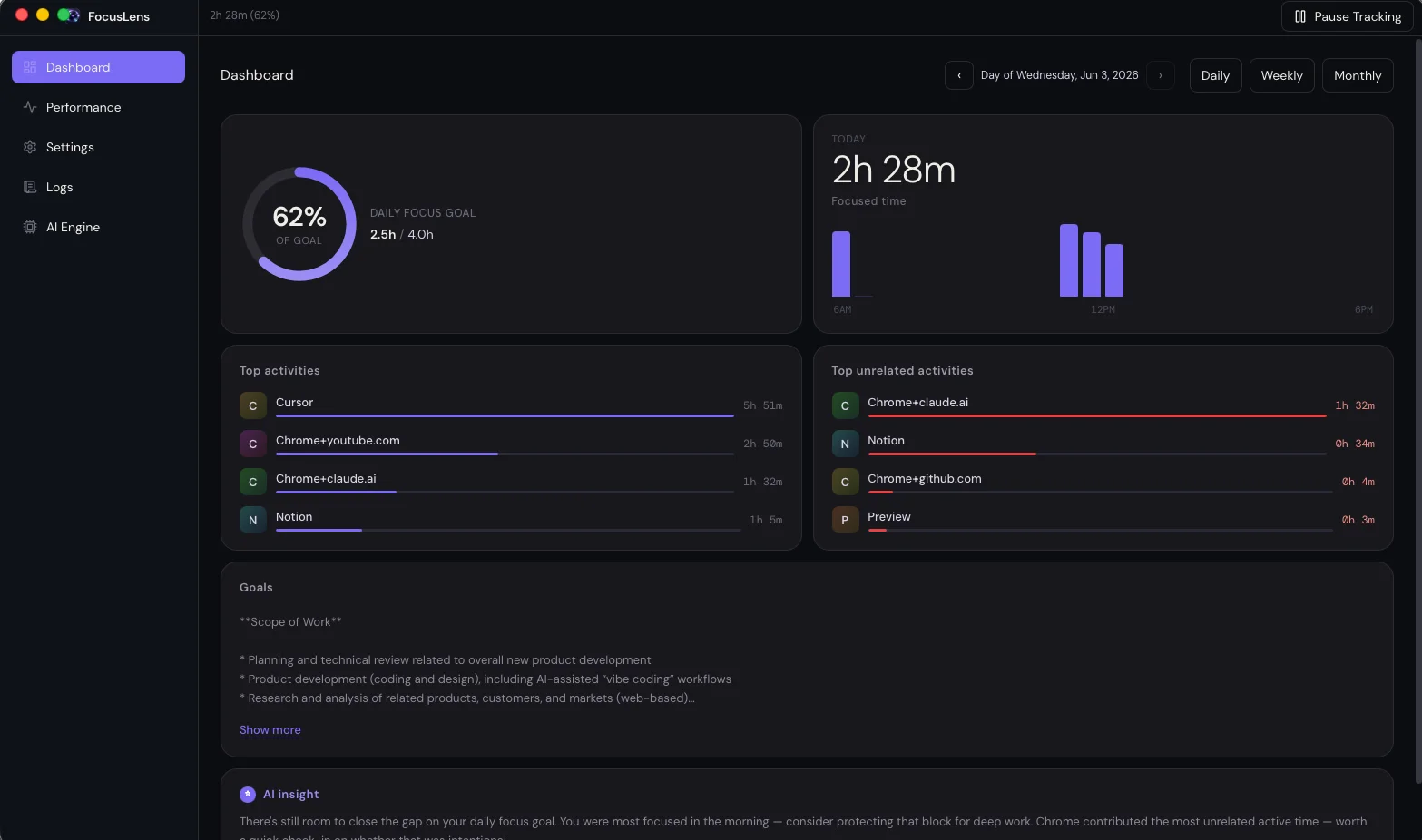
FocusLens turns periodic screen samples into actionable focus metrics — from tray controls to the dashboard views shipping in the app today.
Focus reports
A report that explains itself
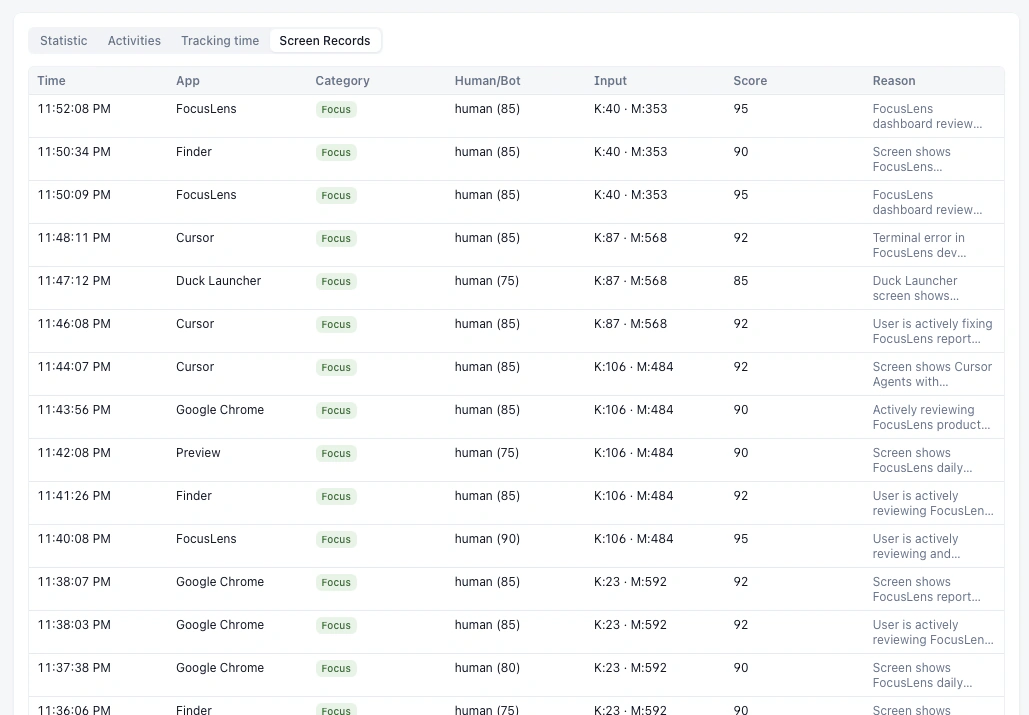
Every entry ties back to your stated goal. When FocusLens counts something as focused work, you can see why — not just that it did.
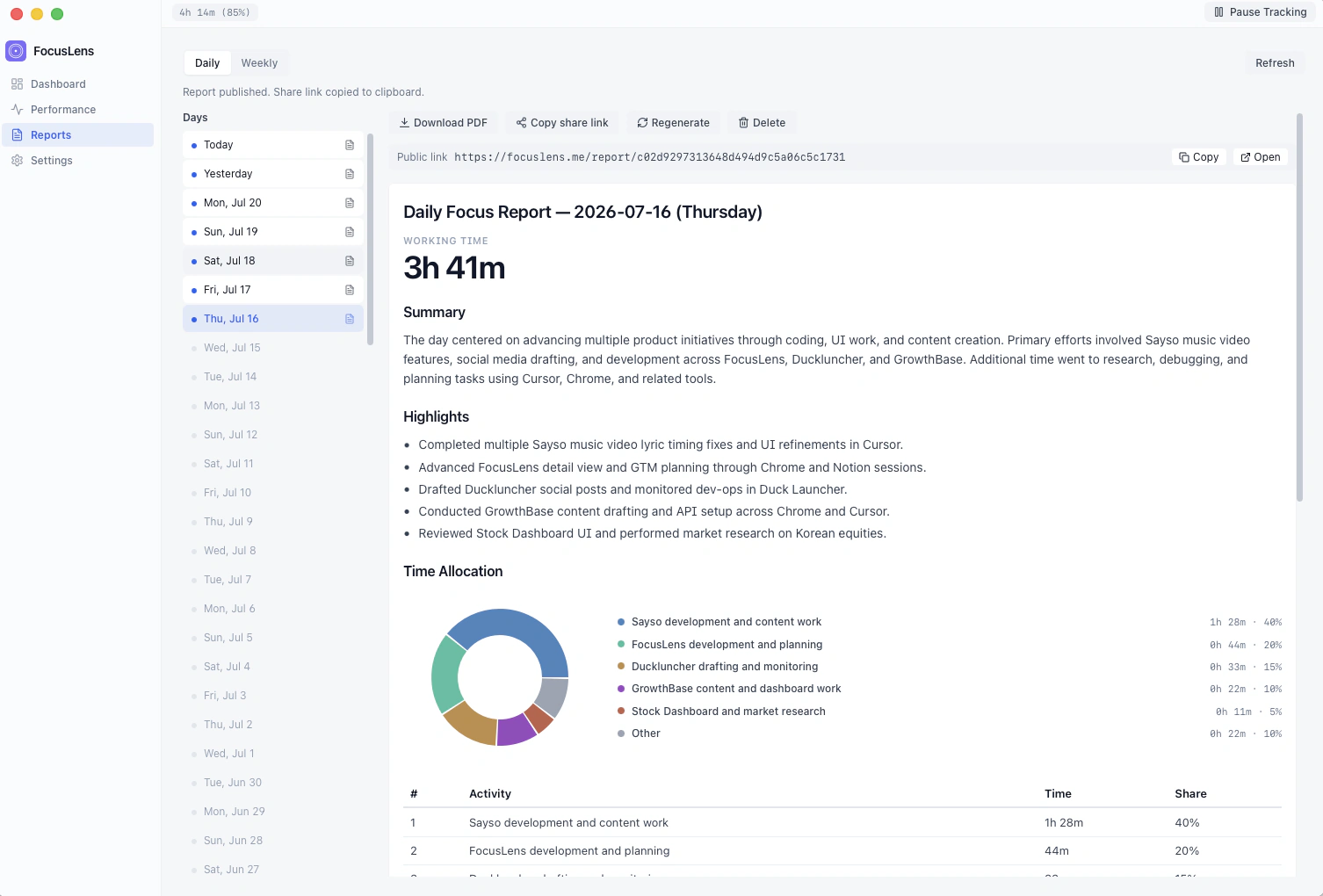
It shows its reasoning, not just a verdict
AI writes a short reason for every classification, so a stock dashboard check for a stock-tracking product reads as work, not a red flag.
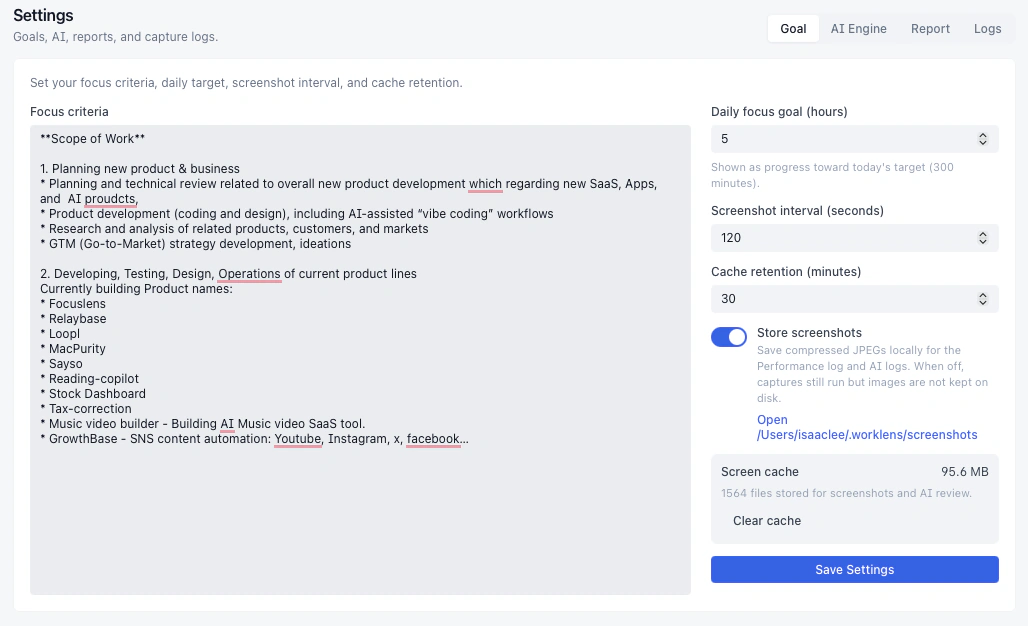
Your focus definition
Set your goal — AI scores real focus
Define what counts as work and your daily target. Every sample is scored for relevance, not just time at the desk.
Who it's for
Built for people who need to show their work
How it works
A simple pipeline that runs in the background
Built on the same stack validated in the WorkLens pilot: native macOS capture, Apple Vision OCR, and AI classification packaged as a lightweight Tauri tray app.
Performance detail
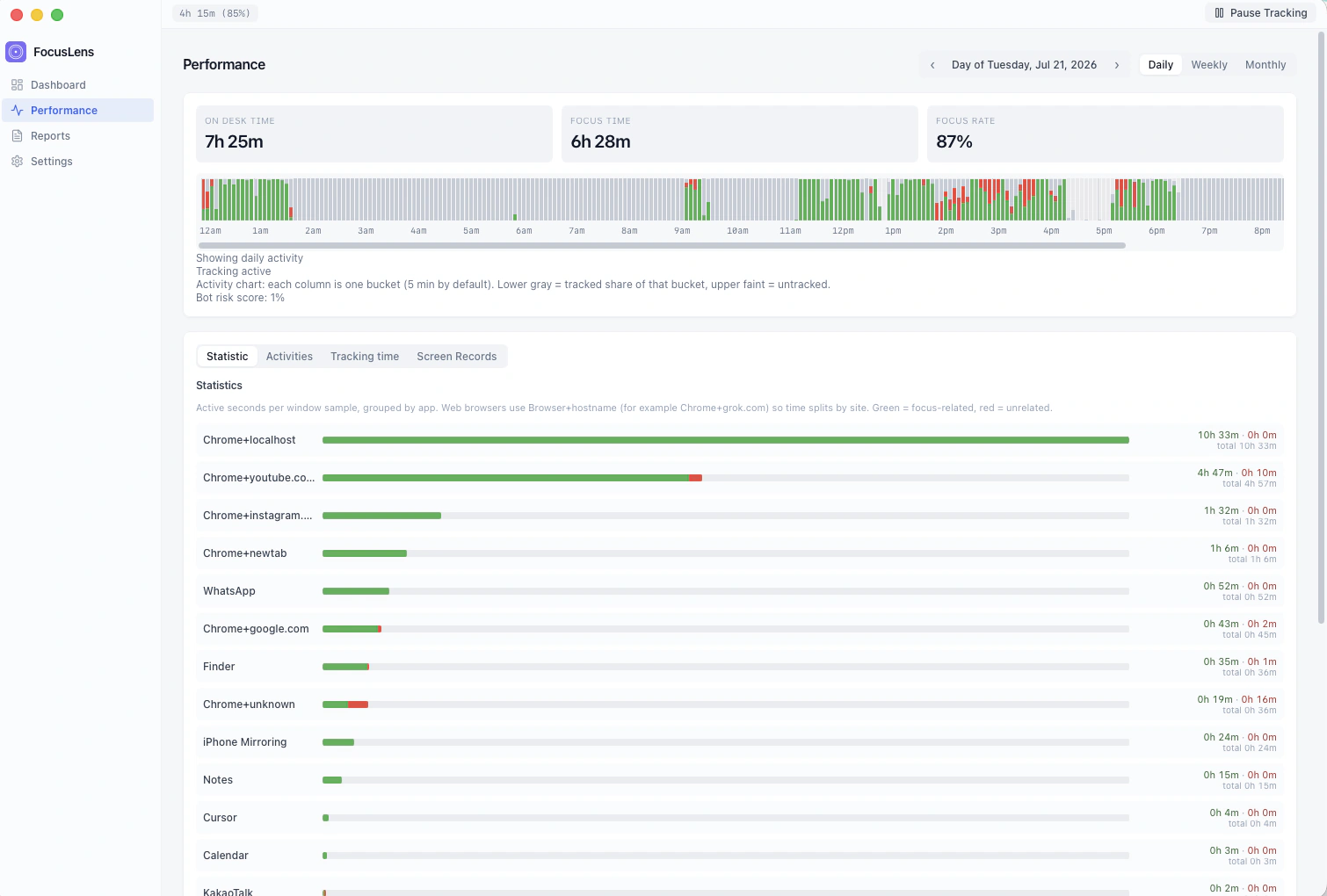
See what filled the day — and what didn't
On-desk time, focus rate, and a per-app breakdown of related vs unrelated work. Spot drift without opening a spreadsheet.
Why the report can be trusted
Your screenshots never leave your Mac. Your report is your choice.
Local-first isn't the pitch — it's the reason the report holds up. Capture, OCR, and classification all run on your machine. Only the report you choose to generate, and only the report you choose to share, ever leaves it.
FAQ
Trust, verified
The questions clients and contractors ask before they trust a report.
AI Engine
Bring your own API key
Free and Pro both classify with a key you paste in AI Engine. Keys stay on your Mac — you only pay your provider for tokens. Pro unlocks reports; Free keeps personal tracking.
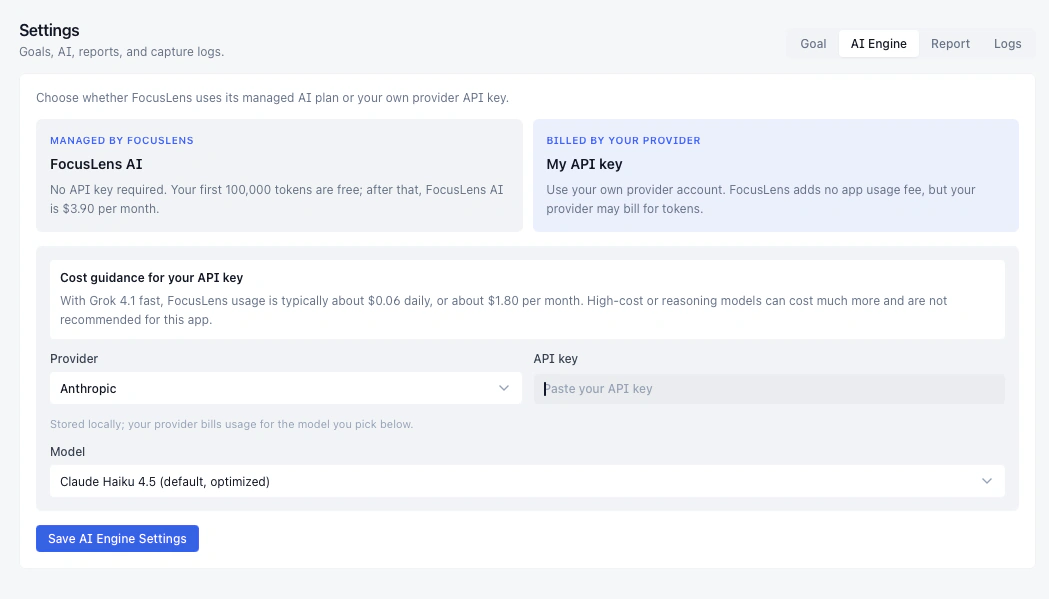
AI Engine → paste your provider key and pick a model
Pricing
Track for free. Unlock reports when you need proof.
Personal focus tracking stays free with your own API key. Upgrade when you need client-ready reports with reasoning.
Yearly is $6/mo · Monthly is $9/mo